Ghost Data: The Personal Information That Survives on Devices You Thought Were Wiped Clean
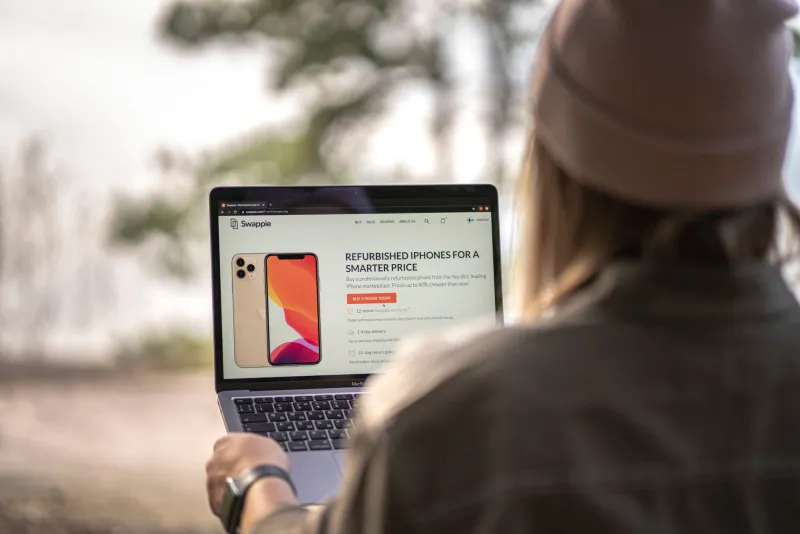
The secondhand electronics market is enormous and growing. Americans resell millions of smartphones, laptops, tablets, and smart-home devices every year through platforms like eBay, Swappa, Facebook Marketplace, and certified refurbishment programs operated by major carriers. For buyers, the appeal is straightforward: capable technology at a fraction of the original price. For sellers, it is a way to recoup some value from hardware that has been replaced.
What neither party typically considers with sufficient care is the data dimension of the transaction. A device that has been used carries a history — account credentials, browsing sessions, saved passwords, photos, financial records, health data, and in some cases the ghost of an active cloud account — that can persist through a standard factory reset in ways that would surprise most ordinary users.
What "Wiped" Actually Means — and Doesn't
The term "factory reset" implies a return to original, blank-slate condition. In practice, the reality is considerably more nuanced and depends heavily on the device type, operating system version, and the specific reset procedure used.
On older Android devices — particularly those running versions prior to Android 6.0 — factory resets frequently failed to encrypt data before deletion, leaving raw file fragments recoverable with freely available forensic tools. A landmark study conducted by security researchers at Avast in 2014 purchased 20 used Android phones from eBay and recovered more than 40,000 photographs, 750 emails, 250 contact records, and the identities of four previous owners using commercial data recovery software. The devices had all been factory reset before sale.
Modern Android devices and iPhones handle this more robustly — but not perfectly. The critical variable is encryption. When full-disk encryption is active before a reset is performed, the reset process destroys the encryption keys, rendering remaining data unreadable without those keys. However, if a device was never encrypted, or if encryption was only partially implemented, data remnants can survive.
Laptops present a different and in some ways more serious challenge. A quick format of a Windows or macOS drive does not overwrite the underlying data — it simply marks the space as available for reuse. Until new data physically occupies those sectors, the original content is recoverable. Even "full" formats on traditional spinning hard drives may not meet forensic standards for secure erasure. Solid-state drives (SSDs) introduce additional complexity because of how they manage data writes, making conventional overwriting techniques less reliable than they are on traditional drives.
The IoT Problem: Devices Nobody Thinks to Wipe
Smartphones and laptops receive most of the attention in secondhand-device security discussions, but the category of connected devices extends well beyond them. Smart speakers, home security cameras, Wi-Fi routers, smart thermostats, and fitness trackers all store data — and all are regularly resold without adequate sanitization.
A Wi-Fi router that has not been properly reset retains its network configuration, including the Wi-Fi password and, in many cases, a log of connected device MAC addresses. A previous owner's home network credentials handed to a stranger represent a meaningful security exposure, particularly if that password has been reused on other accounts.
Smart home cameras and video doorbells have been the subject of multiple documented incidents in which resold devices retained access credentials or stored footage. In 2021, researchers demonstrated that certain models of popular home security cameras could be accessed by a new owner using the previous owner's cloud account if the deregistration process had not been completed — a step that requires action in the manufacturer's app, not on the device itself.
Fitness trackers and smartwatches present a health-data exposure risk that is frequently overlooked. These devices may store heart rate histories, sleep records, GPS workout routes, and menstrual cycle data — sensitive health information that falls outside the protections of HIPAA because it is held by consumer technology companies rather than healthcare providers.
Real-World Consequences
The risks associated with improperly sanitized secondhand devices are not theoretical. The Identity Theft Resource Center, a U.S. nonprofit, has documented cases in which individuals had their financial accounts accessed after selling devices that retained saved browser passwords or active banking app sessions.
In the corporate context, the consequences can be even more severe. The Blancco Technology Group, a data erasure firm, has conducted multiple studies finding that significant percentages of secondhand enterprise drives sold through secondary markets contain recoverable corporate data, including internal communications, customer records, and proprietary technical documentation.
For individual sellers, the most common exposure involves photos and messages — content that may be embarrassing, personally sensitive, or in some cases legally significant. For buyers, the primary risk is inadvertently receiving a device that remains associated with a previous owner's account, which can create complications ranging from iCloud Activation Lock to receiving another person's notifications and messages.
A Buyer's Checklist: Verifying a Device Is Truly Clean
Anyone purchasing a secondhand device should treat verification as a non-negotiable step before entering personal information or signing into any account.
Check for activation locks before purchase. For iPhones, Apple provides an Activation Lock status checker at apple.com/activationlock. A device that shows as locked is still associated with a previous owner's Apple ID and may be unusable or difficult to activate. For Android devices, ask the seller to demonstrate that the device boots to a clean setup screen without prompting for a Google account.
Verify the device is not enrolled in a mobile device management (MDM) profile. Corporate-issued devices may have MDM software installed that gives a former employer remote access to the device. On iOS, check Settings > General > VPN & Device Management for any unfamiliar profiles. On Android, check Settings > Accounts or Settings > Security for device administrator entries.
Perform a fresh setup from scratch. Even if a device appears clean, complete the initial setup process yourself rather than restoring from a previous backup. Restoring another person's backup — even accidentally — can import their account credentials, contacts, and app data.
For laptops, verify storage sanitization. Ask for documentation of secure erasure if purchasing from a refurbisher. For consumer purchases, consider using a free tool such as DBAN (for traditional hard drives) or the manufacturer's secure erase utility (for SSDs) before loading your own operating system.
A Seller's Checklist: Protecting Yourself Before You Let Go
The obligations fall equally on the seller's side of the transaction.
Sign out of all accounts before initiating a reset. This is a step that many users skip, but it is critical. On an iPhone, go to Settings > [Your Name] > Sign Out to disassociate the device from your Apple ID before performing a factory reset. On Android, remove your Google account from Settings > Accounts before resetting.
Enable encryption before resetting, if it is not already active. On Android devices that do not encrypt by default, enabling encryption before performing a factory reset significantly reduces the recoverability of residual data.
For laptops, use a certified data destruction method. Simply deleting files and emptying the trash is not sufficient. Use the operating system's built-in secure erase functionality or a dedicated tool appropriate for your storage type.
Deregister IoT devices from their associated cloud accounts. Consult the manufacturer's app or support documentation for the correct deregistration procedure. Performing only a physical reset on the device itself is often insufficient to sever the cloud account association.
Remove SIM cards and any external storage. This is a simple step that is surprisingly easy to overlook in the process of preparing a device for sale.
The Secondhand Market's Unspoken Risk
The convenience and economy of the secondhand device market are real. So is the data exposure it creates when neither buyer nor seller approaches the transaction with adequate care. A device is not just hardware — it is a vessel for the digital life conducted through it. Ensuring that vessel is genuinely empty before it changes hands is not a technical nicety. It is a fundamental act of personal security.