Permission Granted, Privacy Lost: How Push Notifications Became a Covert Data Pipeline
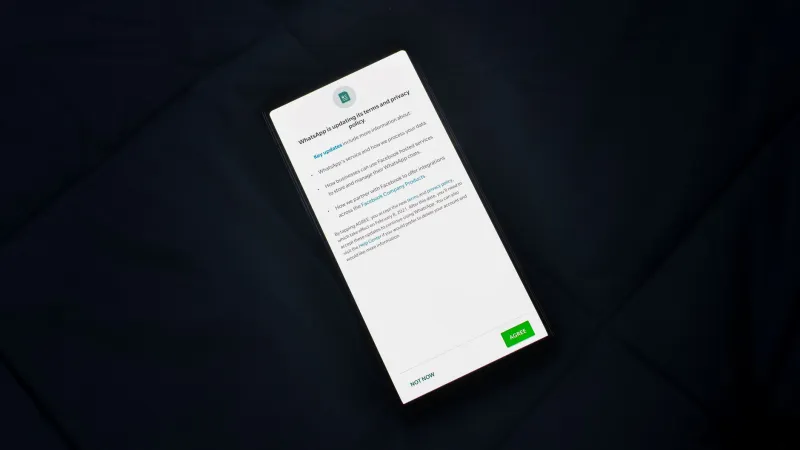
There is a moment every smartphone user knows well: a freshly installed app immediately requests permission to send notifications. It feels routine — almost obligatory. But that single tap on "Allow" can set off a chain of data collection that extends far beyond the occasional news alert or sale reminder. Over the past decade, mobile and web applications have transformed the push notification from a convenience feature into a sophisticated instrument of behavioral tracking and psychological manipulation.
The Architecture of the Alert Economy
When an app sends a push notification, it is not simply delivering a message. It is also recording when you opened the alert, whether you dismissed it, how long it took you to respond, and what you did inside the app immediately afterward. These behavioral signals — collectively known as engagement data — are extraordinarily valuable to advertisers, data brokers, and the apps themselves.
According to research from the International Association of Privacy Professionals, the average American smartphone user has more than 80 apps installed, and a significant majority of those apps request notification permissions during onboarding. Each approved request creates a persistent data channel. Apps can use that channel not only to push content but also to timestamp your activity patterns and, in some cases, trigger background processes that refresh location data or sync behavioral profiles with third-party analytics platforms.
The financial incentive is substantial. Mobile advertising networks pay premium rates for audiences whose real-time behavior can be verified. A notification that confirms you are awake, active, and engaged at 7:14 a.m. on a Tuesday carries measurable commercial value. You are not the recipient of the alert — in a very real sense, you are the product being measured.
Dark Patterns in Permission Flows
The design of notification permission requests is rarely neutral. App developers and UX designers frequently employ what researchers call "dark patterns" — interface choices engineered to steer users toward privacy-invasive decisions they might otherwise decline.
One of the most common techniques is the "pre-permission prompt." Before triggering the operating system's official permission dialog — the one that actually grants access — an app displays its own custom screen. This screen typically presents a compelling reason to allow notifications ("Never miss a deal" or "Get real-time safety alerts") while burying any mention of data collection in fine print. By the time the official system prompt appears, the user has already been psychologically primed to tap "Allow."
Another widely documented tactic involves bundling notification permission with other, seemingly more benign requests. A weather app might ask for location access and notification permissions in the same onboarding sequence, framing both as necessary for the app's core function. In practice, the location permission feeds a continuous data stream that the notification permission helps monetize.
Retail and food delivery apps have been particularly aggressive in this space. Several major U.S. platforms have faced scrutiny for requesting microphone or contact-list access during notification setup flows — permissions that have no logical connection to push alerts but that significantly expand the app's data collection footprint once granted.
When Notifications Become Behavioral Nudges
Beyond data harvesting, push notifications serve a second, equally concerning function: behavioral modification. App developers employ a branch of applied psychology known as variable-ratio reinforcement — the same mechanism that makes slot machines compelling — to keep users returning to their platforms.
Notifications are timed and worded to create urgency or social anxiety. "Three people viewed your profile in the last hour." "Your cart is about to expire." "A friend just posted — don't miss it." Each message is calibrated to trigger a small dopamine response, nudging the user to open the app. Every opening generates another data point. The loop is self-reinforcing and, for many users, effectively invisible.
Researchers at Stanford University's Persuasive Technology Lab have documented how this cycle correlates with increased location-sharing compliance. Users who engage frequently with notification-driven apps are statistically more likely to approve subsequent permission requests, including those for precise GPS location, because the habit of compliance has already been established.
Real Consequences: What the Data Actually Reveals
The behavioral and location data harvested through notification-enabled apps does not simply disappear into anonymous databases. In 2023, a joint investigation by several American news organizations revealed that data brokers were selling location histories derived from app notification interactions to commercial clients — including, in some documented cases, insurance underwriters and employers conducting informal background assessments.
The Federal Trade Commission has taken enforcement action against several data brokers for selling sensitive location data without adequate consumer disclosure, but the regulatory framework governing notification-derived data specifically remains underdeveloped. Apps are generally required to disclose data collection in their privacy policies, but those disclosures are rarely written in language accessible to ordinary users.
Auditing Your Notification Permissions: A Practical Guide
The good news is that notification permissions are among the most reversible privacy decisions a smartphone user can make. The following steps are applicable to both iOS and Android devices.
Review all notification permissions at once. On an iPhone, navigate to Settings > Notifications to see every app that holds notification access and what alert styles each one uses. On Android, go to Settings > Apps > See All Apps, then review notification settings individually, or use Settings > Notifications > App Notifications for a consolidated view.
Apply a strict necessity test. For each app holding notification permission, ask one question: does this app need to interrupt me in real time to function as intended? Navigation and emergency-alert apps pass this test. Retail, social media, and gaming apps almost never do.
Disable background app refresh for non-essential apps. On iOS, Settings > General > Background App Refresh controls which apps can run processes — including data syncing — when not actively in use. Revoking this permission significantly limits the data an app can collect between sessions.
Treat permission requests with default skepticism. When a newly installed app requests notifications before you have used it enough to understand whether alerts would add value, decline the request. Most apps allow you to enable notifications later from within their settings menus.
Periodically audit rather than set and forget. Notification permissions accumulate over time. Setting a quarterly calendar reminder to review and prune app permissions is one of the most effective and underutilized privacy habits available to American consumers.
The Larger Picture
Push notifications represent a microcosm of a broader tension in the modern app economy: the gap between the service a user believes they are receiving and the surveillance infrastructure they are actually consenting to support. The permission prompt is not a formality. It is a contract — one written almost entirely in the app developer's favor.
CipherWatch encourages readers to approach every notification request as a deliberate privacy decision rather than a reflexive tap. The alert badge is small. The data pipeline behind it is not.